How Service-Based Businesses Can Automate Appointment & Lead Follow-Up

How Service-Based Businesses Can Automate Appointment & Lead Follow-Up: Receiving inquiries may be an exciting experience, but sorting out tasks for the business and how to proceed next can become really messy. A customer submits a request through the webform, and someone is supposed to contact them, book a meeting, send out reminders about the meeting, attend it, and send follow-ups on time. It may not be challenging when the work is done manually, but it becomes more complicated when even a ‘good lead’ can slip away unnoticed.
Nevertheless, this is where automation tools together with CRM for small businesses and the service industry step in. The automated solution is able to create a seamless process where leads can be collected, distributed, followed up, and even given an invitation for a meeting through the process of automation, which would avoid spreadsheets, different communication channels, calendars, human memory, etc.
In this blog, we are going to reveal the benefits and opportunities service providers have when it comes to automated follow-up with leads using automated workflows along with their CRMs, which would help them organize the process of booking appointments, avoid lost opportunities in business, and maximize the quality of service provided to the clients.
Grasp Lead & Appointment Follow-up for a Service Business
Lead and appointment follow-up is essentially the process of staying in touch with a potential client right from the point of inquiry until the conversion.
In a service business, this can involve:
- Getting inquiries through website forms, ads, calls or social media channels
- Making sure leads go to the right salesperson or team member
- Initial acknowledgment of the lead
- Following up with interested leads
- Setting up consultations and appointments
- Sending confirmation emails
- Reminders before appointments
- Making the follow-up call after the appointment has taken place
- Reconnecting with leads who were not in a position to purchase then
- Monitoring the complete customer journey
The challenge is that each of these activities seems to be simple in isolation.
However, when your team has to deal with dozens or hundreds of leads, doing all this manually becomes quite a challenge too.
How Does Manual Follow-Up Cause Issues?
Before businesses start automating the process of following up, they often employ various means of communication to manage the different leads. Along with the use of spreadsheets, they use phone calls, emails, instant messages, and calendars.
At first, this does not seem like a burden at all.
However, when you have to attend to more leads, what appears manageable turns out to be problematic.
Timing is Critical
A customer makes an inquiry and expects to receive a response shortly. But if no one is aware of this inquiry, the lead remains untouched for a long time.
By the time a salesperson eventually contacts a customer, he might already have gotten in touch with other vendors.
Follow-Ups Are Based on Memory
A potential client may ask the salesperson to contact him next week.
The salesperson remembers this request.
However, another meeting takes place, and another lead comes along, and that
contact has been forgotten. CRM mechanisms can automate the process of contacting clients instead of relying on human memory.
Appointment Scheduling Becomes Time-Consuming
Finding a good appointment time over the phone or through messaging may not seem like a problem when you have five clients.
The task becomes administrative work that can take away precious hours of work from your team once you have hundreds of appointments scheduled.
No-Shows Cause Missed Opportunities
A client makes an appointment but forgets about it without getting any reminders.
So the appointment is missed and the employee’s time is wasted with no sale.
Your team may not know what to do next
The sales representative thinks the client simply needs to be called while another one assumes the appointment is already scheduled.
Without a clear CRM pipeline concept, everybody thinks they know their job but no one understands the next steps.
Old Leads Are Simply Forgotten
Not every customer wants to buy right now.
Some need more time, more information, and follow-up calls. Without a good system, the leads are lost in the pipeline.
How Can CRM Automation Help with Follow-Ups?
Truly speaking, this is where CRM automation can change the working process in the service business.
Instead of making your staff remember every call, appointment, and follow-up, you can create workflows that automatically handle repetitive steps while keeping important customer conversations human.
Let’s see how.
Automatically Track New Leads
Various channels can bring in new leads, including your company website, internet ads, social media platforms, friends and family, telephone calls, and landing pages.
Rather than keeping prospects separated, CRM automation will consolidate them all into one system, thereby simplifying the process.
Once a new lead enters the CRM, the workflow can quickly create a new lead record and collect relevant details like:
- First and last name
- Contact details
- Requested services
- Lead source
- Address
- Preferred date and time
- Status
- Responsible manager
- Thus, your team has the option of reviewing what is going on with all your prospects from one place.
- Acknowledge a lead right away
What if someone has submitted a request outside of business hours?
Your staff wouldn’t be available to respond, but your customer would like to know that their request has been accepted.
By using CRM, a simple automated message like “Thank you for reaching out to us. We have received your inquiry, and our team will be in touch shortly,” can be sent to the customer. This simple communication tells the customer that their inquiry hasn’t gone unnoticed. The real sales process will happen later when the team is available.
Quickly Assign Your Leads to the Right Person
Then, after entering the lead into the CRM, a straightforward question arises. Who takes care of this lead? Here, the automated lead assignment feature comes into play. By setting rules based on these factors:
- Type of service
- Location
- Lead source
- Customer type
- Sales person
- Lead importance
Let’s say that a commercial cleaning project request will go to the commercial department, while a domestic customer will be assigned to a domestic sales manager.
Tasks for Follow-ups Should Be Done Automatically
When a new inquiry is made, it should not just be added to the CRM.
The system should know what to do next.
For Instance:
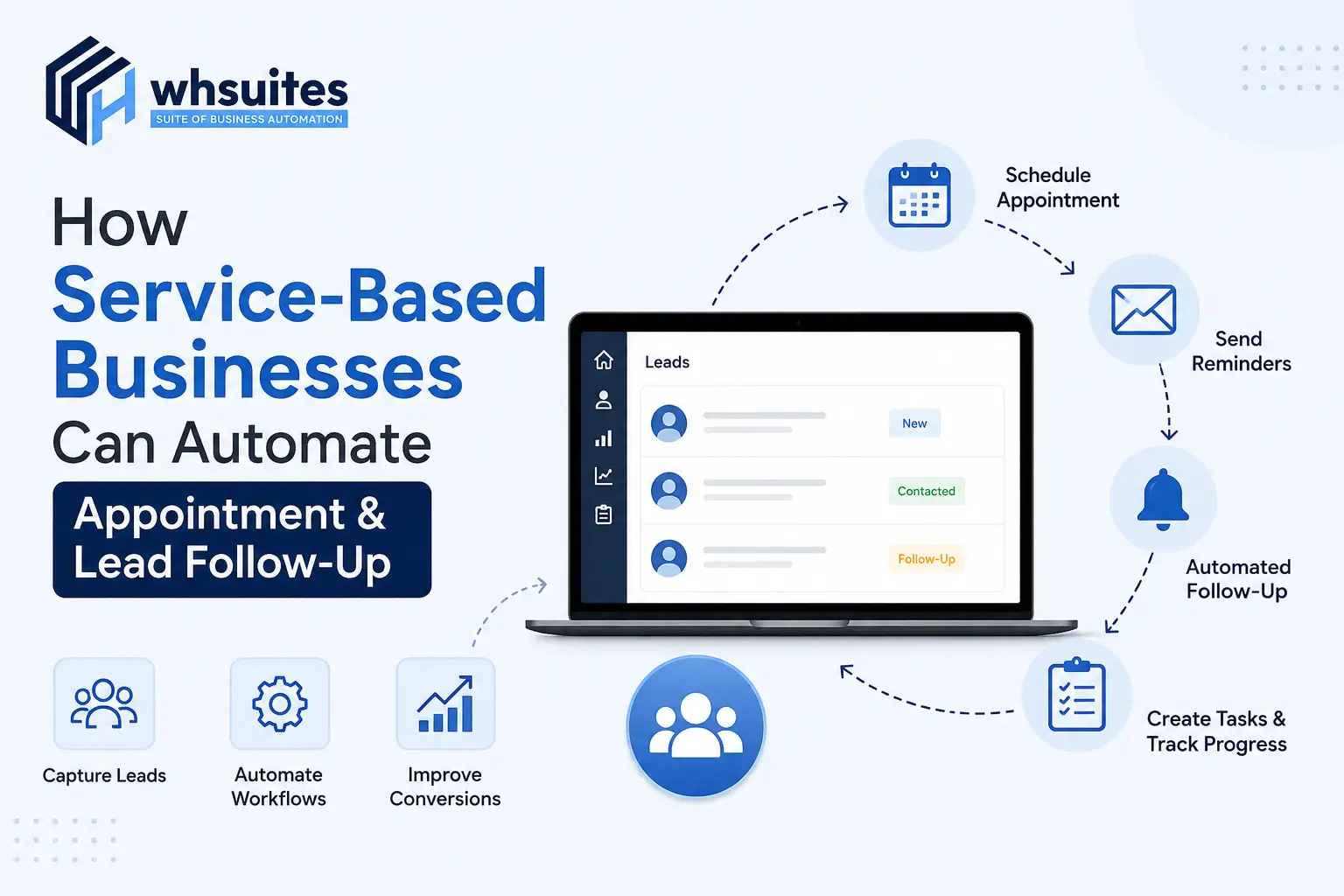
New Lead → Follow-Up Task → Notify Sales Rep → Contact Lead → Update Status
In case a lead has not been contacted at the proper time, the system can send a reminder.
Thus, it streamlines your sales process because your people do not have to memorize every move to make.
Appointment Scheduling Should Be Automated
Once a lead shows interest, ensuring they book an appointment is a simple process.
Instead of exchanging several messages regarding availability, companies can implement an appointment workflow allowing their clients to select a suitable time.
The following process could be involved:
Interested Lead → Appointment Link → Client Chooses a Slot → Appointment Confirmation
It is particularly helpful for consulting services, clinics, agencies, salons, repair services, real estate companies, etc. In this way, the company’s representatives save time, and the clients get a more efficient way of booking.
Automatically Deliver Appointment Confirmations
Once an appointment has been reserved, it must be confirmed to the customer.
Using a workflow in the CRM, the system can simply send all the required information, which includes:
- Appointment date
- Time
- Location
- Meeting link
- Service details
- Contact details
- Instructions to reschedule
This eliminates any doubt from the customer’s mind, thus letting your team avoid confirming appointments manually.
Provide Appointment Reminders on Time
Just because an appointment has been booked, it doesn’t mean that the appointment has happened.
- Customers often forget things.
- Things change.
- Something unexpected occurs.
That is where reminders play a very important role in the process of appointment automation. You can schedule reminders according to the specific requirements of your business, for example:
- A day before the appointment: Reminder about the appointment with all details.
- A few hours before the appointment: Short reminder or confirmation.
- In case a customer wants to reschedule his or her appointment, the workflow guides him or her to the right action.
Your aim is not to send numerous reminders but rather to make it sure that the customer has all the needed information in time.
Check In With No-Shows and Cancellations
What should be done when a client did not show up?
If there is no proper procedure in place, the lead can simply be counted as lost.
When using CRM software, if someone fails to attend an appointment, it can initiate follow-up activities instead.
An example would be:
“We’ve missed you today. In case you would still like to have a word in regard to your needs, another time can be arranged.”
The same approach works for cancellations.
Instead of seeing a cancelled appointment as a failure, your process can create an opportunity to reschedule.
Continue Following Up After the Meeting
The client’s journey does not end when the meeting is complete.
The next step is determined by the provided service and might be:
- Getting a quotation
- Booking a follow-up meeting
- Collecting feedback
- Requesting a review
- Sending a reminder about the service
- Creating a renewal task
- Recommending some other service
For instance, when a client completes the first consultation with the agency, the CRM can set a task for the seller to call the client and discuss the proposal.
Re-Engaging Non-converted Leads
A common blunder that companies providing services make is to regard an undecided lead wrongfully.
Instead of taking this position, a potential client may indicate that:
“I will get back to you next month.”
It doesn’t actually imply they have abandoned you.
Thanks to CRM automation, you are able to set such leads in the right follow-up or re-engagement processes.
After a certain time, the system will prompt a salesperson to reconnect with such a lead or send a relevant notification.
This gives you another use to initiate a conversation when your client is really prepared to talk.
Set Up A Straightforward Lead Conversion Pipeline
CRM automation allows your leads to be aware of their lead status.
A pipeline of a simple service business can be as follows:
New Lead → Contacted → Qualified → Appointment Scheduled → Appointment Fulfilled → Proposal Discussion → Won/Lost
Each stage should connect with its only purpose.
Sales managers can use this to find out:
- The number of new leads
- The leads that have not yet been contacted
- The number of appointments scheduled
- The appointments that have been missed
- The leads that need to follow up
- The number of leads that are close to conversion
Sales Managers do not need to ask teams for updates every day; they can simply look at the CRM.
What’s The Right CRM for Appointment & Lead Follow Up?
A good CRM for service-based businesses should not only store client contacts in its database. It should help businesses in handling different processes after the lead becomes a client.
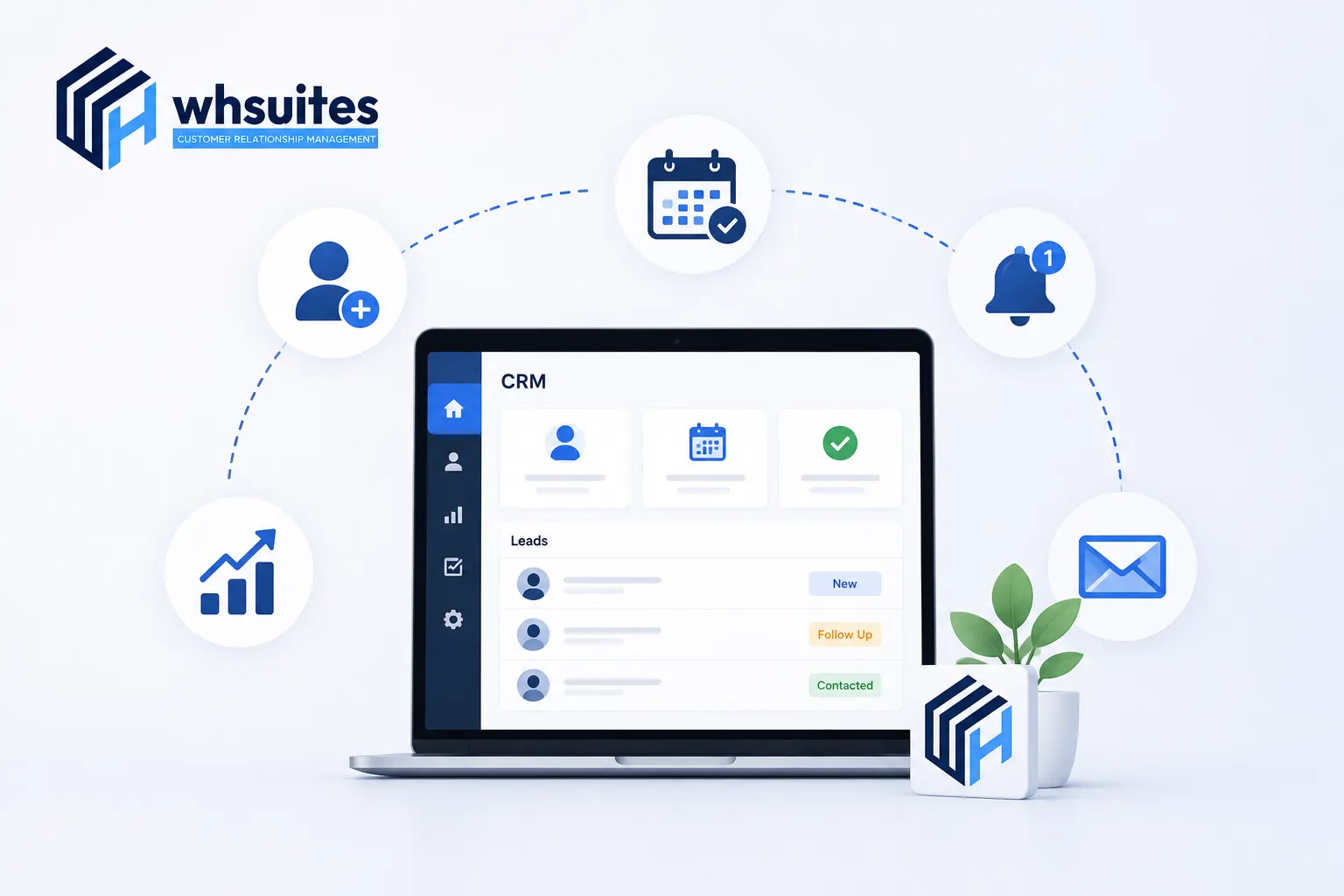
WHSuites CRM brings together lead management, sales pipelines, and workflow automation under one system. WHSuites provides services related to:
- Lead management services
- Sales pipeline management services
- Automated lead follow up services
- Task management services
- Appointment management services
- Workflow automation services
- Customer information management services
- Notification and reminder services
- Lead status tracking services
- Sales activity management services
The essence of the concept is that you can automate the whole follow up process and build workflow processes that tell business what to do next.
Maintaining human touch in customer relationship management processes does not necessitate an entirely automated approach. A good CRM should know when it must stop using automation in favor of human execution.
The areas where automated processes should be implemented include:
Setting reminders
- Providing necessary notifications
- Collecting data
- Assigning leads
- Executing necessary routine follow-ups
- Confirmation of appointments
- Creating tasks
However, there are interactions that should retain their personal element, such as:
- Sales consultations
- Pricing talks
- Complaint resolutions
- Complex inquiries
- High-value negotiations
- Relationship-building interactions
CRM automation should be viewed as staff’s assistant that keeps the process organized while human workers maintain the relationships with customers.
What do the businesses need to measure to ensure automation efficiency?
Since the process is put into full operation, it is necessary to track its work.
The metrics of interest for the business should include the following:
- Lead response time
- Conversion rate from lead to appointment
- Appointment show-up rate
- Rate of no show-ups
- Rate of completion of follow-ups
- Conversion rate from lead to customer
- Sales cycle duration
- Conversion re-engagement rate
- Profit generated by leads
If leads are waiting several hours for a human response, the process of assigning and notifying leads should be improved.
The aim is not to increase work automation. The aim is to enhance the customer journey.
FAQs About CRM and Automation of Leads and Appointments
Can leads be followed up automatically with the help of CRM?
Absolutely. CRM software can be set in such a way that it automatically creates follow-up tasks, sends alerts, and reminds sales personnel to follow up on the leads.
Does CRM have the ability to schedule appointments automatically?
Yes, companies can connect their appointment scheduling and CRM systems in such a way that it becomes possible for clients to pick an appropriate time for them.
How can automation reduce misses for appointments?
Automated confirmation and reminder messages will help customers remember their appointments and clarify all the important details.
What should be done if a lead does not answer?
Automation systems can follow up on leads automatically. Moreover, it eliminates the need for sales representatives to keep track of inactive leads.
Is it possible for service businesses to automate follow-up after an appointment?
Absolutely. Companies can implement automated workflows that will send a thank-you note, request feedback, create tasks, set up an appointment or notify users of important services.
Does CRM automation mean that salespeople are no longer needed?
Apparently, no. The best use of a CRM tool is to handle routine tasks such as reminders, notifications, assigning leads to team members, and scheduling meetings. Salespeople should perform consultations, negotiations or complex inquiry-related conversations.
Is CRM automation beneficial for small service companies?
Certainly. It is very important for small businesses since they have limited resources, thus utilizing automation will allow them to deal with leads in a more streamlined way and concentrate on providing service to customers.
What assistance can WHSuites provide in regard to leads and follow-up of appointments?
WHSuites assists in managing leads, sales channels, tasks, actions, planners and automation in one combined CRM system that allows employees to implement organized processes in place of having arbitrary spreadsheets and processes that are done manually.
Change All Inquiries to Enjoyable Customer Experience
A lead must not vanish out because a person forgot to call.
An appointment should not become a missed chance, as no one remembered to send a notification. And a customer who declined previously does not have to be considered a lost cause. Utilization of the correct CRM automates all the processes, meaning that all leads can be captured, classified, acted upon, scheduled, notified and nurtured just in time.
This is what WHSuites is aimed at.
Forget about charging your staff with assignments; instead let your CRM handle tedious, repetitive tasks, while your team remains focused on all that cannot be replaced—real communication, experience and relationship with clients. Are you prepared to make your follow-up organized?